


CubeCrafter
4.41.89K Reviews
App Specs
- Version
- 1.17.14
- Updated On
- License
- Free
- Downloads
- 10,000,000+
- Developer
- SayGames Ltd
- Categories
- Role Playing
- Platform
- Android, iOS
Screenshots
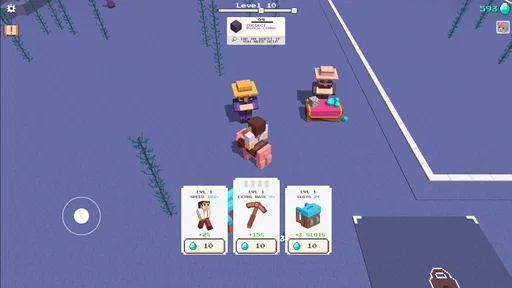
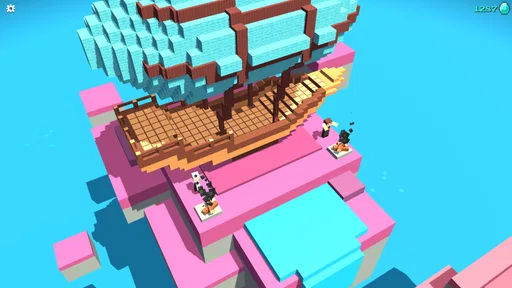
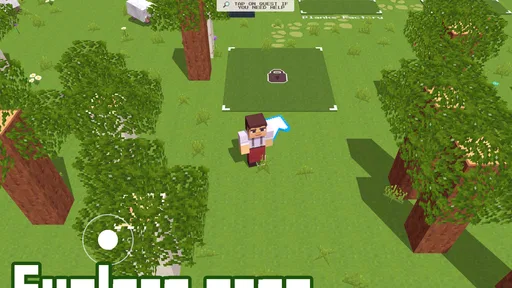
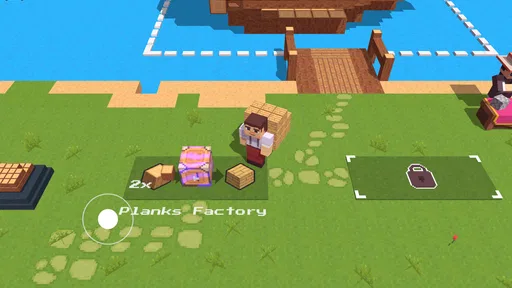
 Analysis by AppCompare
I reach for CubeCrafter when I want a game that gives me room to make things at my own pace. Its appeal is easy to understand: gather block-shaped materials, turn them into structures, and gradually shape a world that feels like mine. That makes it a relaxed entry point to mobile role-playing games, though it also asks you to decide what kind of session you want—quiet construction or a more pressured adventure.
Choosing what to build, and what to gather first
The most useful way to approach the game is to give each short session a modest goal. Rather than collecting resources without a plan, I find it more satisfying to decide on one project, then focus my effort around what that project needs. A small shelter or a single decorative feature gives a session a finish line; larger ambitions can be split into stages so the gathering does not feel like busywork.
That planning matters because the core pleasure is not simply placing blocks. It is seeing a rough idea become a structure while making choices about where to spend the resources you have collected. If you enjoy setting your own priorities, this loop can feel pleasantly purposeful. If you need a clear quest marker or a story that tells you exactly what to do next, the open-ended approach may leave you wondering what the game expects from you.
When challenge helps—and when it gets in the way
The survival and creative options suit different moods. In survival, the threat from creatures at night gives preparation a reason: time spent gathering and building can make the next stretch feel more manageable. I would treat that pressure as a prompt to prepare rather than a reason to overbuild. Start with something practical, then expand when you have a clearer idea of what you need.
Creative mode is the better fit when the point is to test a layout or enjoy construction without interruptions. The trade-off is that removing scarcity also removes some of the satisfaction of working toward a finished project. I like having those contrasting ways to play, but I would not choose survival when I only have a brief, distracted moment, or creative mode if the appeal I want is the tension of preparing for danger.
Making a little progress in an ordinary day
A realistic session might be a few minutes between errands: pick one material to collect, make a small improvement to your current build, and leave yourself a clear next step. That is more rewarding than starting an elaborate structure when you cannot stay focused long enough to finish a section. For a longer stretch, exploration can help refresh your ideas and give you a reason to gather different resources.
One practical habit is to keep your next task visible in your own mind: “finish this wall” is easier to return to than “make the world better.” Another is to avoid spending every resource as soon as you collect it. Saving some for a later part of a build gives you flexibility if your plan changes. These are small choices, but they help the game’s open-ended structure feel manageable rather than aimless.
Worth Reading Before You Choose

Flipboard Shows What News Apps Must Do Beyond the Feed

Switching to Android Auto Means Rethinking Your Driving Routine

Google Calendar Makes a Crowded Week Easier to Manage

Ludo King Makes the Most of the Minutes Between Plans

Baby Panda World Brings Quick Play to Modern Phones, but Its Game Library Feels Busy

ESPN’s Live Game View Makes Following Close Games Easier
Who will enjoy this kind of role-playing game?
I would recommend it to players who like tactile building, resource gathering, and making their own goals. It is also a reasonable choice for someone who wants a creative game they can approach in short bursts, provided they are comfortable deciding what to do without a tightly directed storyline. The block-based presentation keeps the central idea clear, and the two modes give you a choice between risk and uninterrupted design.
It is less suitable for anyone looking for a deep narrative, a competitive focus, or a complex role-playing system built around character development. Players who prefer a guided campaign may be happier with a story-led role-playing game; those who want construction above all else may prefer a dedicated building sandbox. The distinction is useful: here, gathering and crafting are part of the appeal, not merely chores on the way to a plot.
The Building Blocks of Creativity
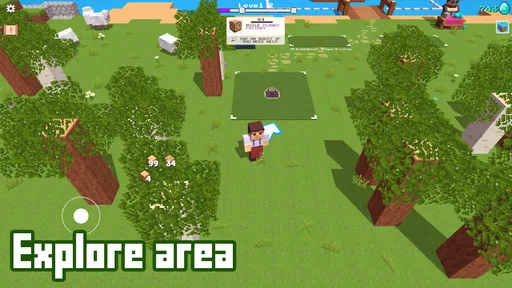
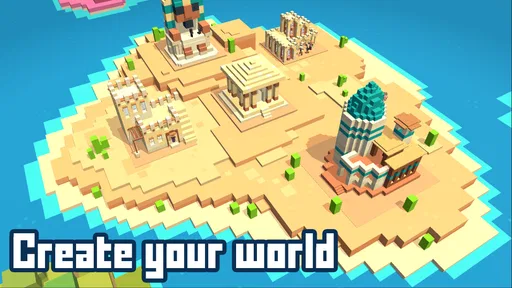
CubeCrafter is all about creativity and exploration. The game drops you into a blocky world where the possibilities are nearly endless. From constructing towering skyscrapers to digging deep into the earth, the game encourages you to let your inner architect shine. The controls are intuitive, making it a breeze to start building right away. Whether you’re a seasoned builder or a newcomer, you’ll find the interface easy to navigate.
Immersive Gameplay
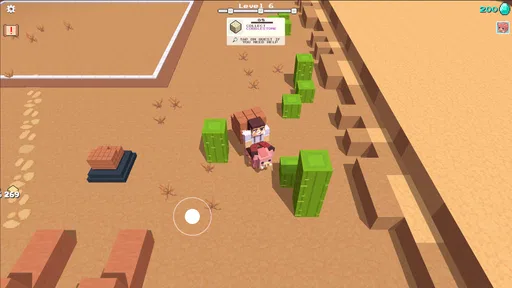
One of the first things that caught my attention was how immersive the game feels. The graphics, while simple, are charming and reminiscent of classic block-building games. The world is vibrant, with different biomes to explore, each offering unique resources and challenges. The soundscape complements the visuals perfectly, adding to the sense of immersion and making every exploration feel like an adventure.
What I really love is the open-ended nature of the game. There’s no right or wrong way to play, which means you can spend hours just experimenting with different building techniques or exploring the vast landscapes.
Features That Stand Out
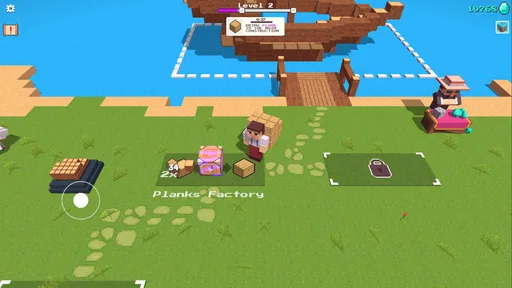
The app offers a variety of tools and materials to work with, allowing you to craft everything from basic shelters to intricate castles. One feature that stands out is the crafting system. It’s straightforward yet deep enough to keep you engaged. You’ll find yourself constantly thinking about what to build next and how to gather the necessary resources.
Another cool aspect is the survival mode, where you not only build but also fend off creatures that come out at night. It adds a layer of excitement and urgency to your building efforts. If you’re more of a laid-back player, you can opt for the creative mode where you have unlimited resources and can focus solely on construction without any interruptions.
Community and Sharing
What’s a great game without a community to share it with? CubeCrafter has a thriving community where players can share their creations, get inspiration, and even collaborate on projects. The app makes it easy to upload and showcase your work, turning the game into a social experience as well.
The developers seem committed to keeping the community engaged with regular updates, which often include new features, blocks, and challenges. This keeps the game fresh and ensures there’s always something new to look forward to.
Final Thoughts
In a world full of complex games, CubeCrafter offers a refreshing simplicity that reminds us of the joy of creation and exploration. Whether you're in it for the building, the survival challenges, or the community interaction, there's something here for everyone. It's perfect for those moments when you want to escape reality and dive into a world you can shape with your own hands.
So, if you’re looking for a fun, creative outlet, give CubeCrafter a try. It’s a delightful mix of creativity, adventure, and community that will keep you coming back for more.
How it compares with other building games
Compared with a conventional role-playing game, where I expect a defined character journey and a sequence of objectives, this is more about choosing a project and supplying it yourself. Compared with a pure construction sandbox, the resource-gathering and survival framing gives building a practical purpose. That middle ground is its strength, but it also means neither side should expect the full depth of a dedicated story campaign or a specialist design tool.
For a first visit, I would resist the urge to roam without a reason. Pick a nearby building goal, notice which resources are slowing you down, and let that guide where you explore next. This turns wandering into a useful part of the crafting loop. If your interest is mostly architectural experimentation, creative mode avoids the friction; if you like earning each improvement, survival makes the same project feel more consequential.
Keeping the long game enjoyable
Open-ended games can lose their pull when every session feels identical. I keep the loop fresher by alternating between a practical task and an imaginative one: gather what a build needs, then use the materials on a shape or detail I have not tried before. The practical task gives the session structure, while the creative choice keeps it from feeling like a checklist.
There is a trade-off in that freedom: the game does not impose a personal definition of progress. A player who enjoys self-directed projects can find that liberating; someone who relies on frequent rewards or explicit milestones may find it hard to stay invested. I would also choose a different game if I wanted demanding combat or a strong narrative to carry me through longer sessions.
Practical details before you start
SayGames Ltd developed this free role-playing game. It is rated Everyone, has an average rating of 4.4 from around 124,000 ratings, and has passed 10 million installs. Its current version is 1.17.13, and it requires Android 8.0 or later. Optional in-app purchases range from $1.99 to $29.99 per item, so the game is free to try but purchases are part of the offer; I would check the purchase screen carefully and decide whether anything there is useful to my own play before spending.
The key question is whether you need a connection to a larger social experience or simply want to build at your own pace. The game presents sharing and collaboration as part of its community appeal, but I would approach those elements as an extra rather than the reason to install it. If what you want is a personal building routine, the core loop is the draw; if social coordination is essential, make sure the available community features suit the way you like to play.
My strategy verdict
My recommendation is to start small, especially in survival: gather with a specific build in mind, make a useful first structure, and expand only when the next need is clear. Switch to creative mode when experimentation matters more than resource management. That simple choice makes the game easier to match to your mood and avoids expecting one mode to deliver both relaxed design and meaningful pressure at once.
Released on Aug 4, 2022, this block-building game remains a good fit for players who enjoy setting their own agenda. The version and purchase details are worth checking before you begin, but the more important decision is personal: do you enjoy making your own goals? If yes, I think its mix of gathering, crafting, exploring, and building can make spare time feel satisfyingly productive. If not, a guided adventure will likely be a better use of your time.
Pros
- Intuitive controls make gameplay smooth.
- Creative building options enhance fun.
- Regular updates bring new features.
- Community challenges keep it engaging.
- Cross-platform play with friends.
Cons
- Occasional lag on older devices.
- In-app purchases can be expensive.
- Some ads disrupt gameplay.
- Limited offline functionality.
- Battery drains quickly during play.
FAQs for CubeCrafter
What is CubeCrafter and what can I do with it?
CubeCrafter is a sandbox-style game that allows players to explore, build, and create in a blocky 3D world. You can craft tools, build structures, and engage in survival activities. The game offers both creative and survival modes, catering to different play styles and preferences.
Is CubeCrafter free to download and play?
CubeCrafter is free to download with basic features available to all players. However, it includes in-app purchases for additional content, skins, and resources. These purchases can enhance gameplay but are not necessary for a full experience. Always check your app store for the latest pricing and offering details.
Does CubeCrafter require an internet connection to play?
CubeCrafter can be played offline, which is ideal for players who are on the go or have limited internet access. However, certain features such as multiplayer modes or community sharing might require an internet connection to function properly.
Is CubeCrafter suitable for children?
CubeCrafter is designed to be family-friendly, offering a creative and non-violent environment suitable for children. The game encourages creativity, problem-solving, and exploration. Parents should review the game’s content and in-app purchase options to ensure it aligns with their expectations.
What platforms is CubeCrafter available on?
CubeCrafter is available for both Android and iOS devices. It can be downloaded from the Google Play Store for Android users and the App Store for iOS users. Make sure your device meets the necessary system requirements for optimal performance.


